
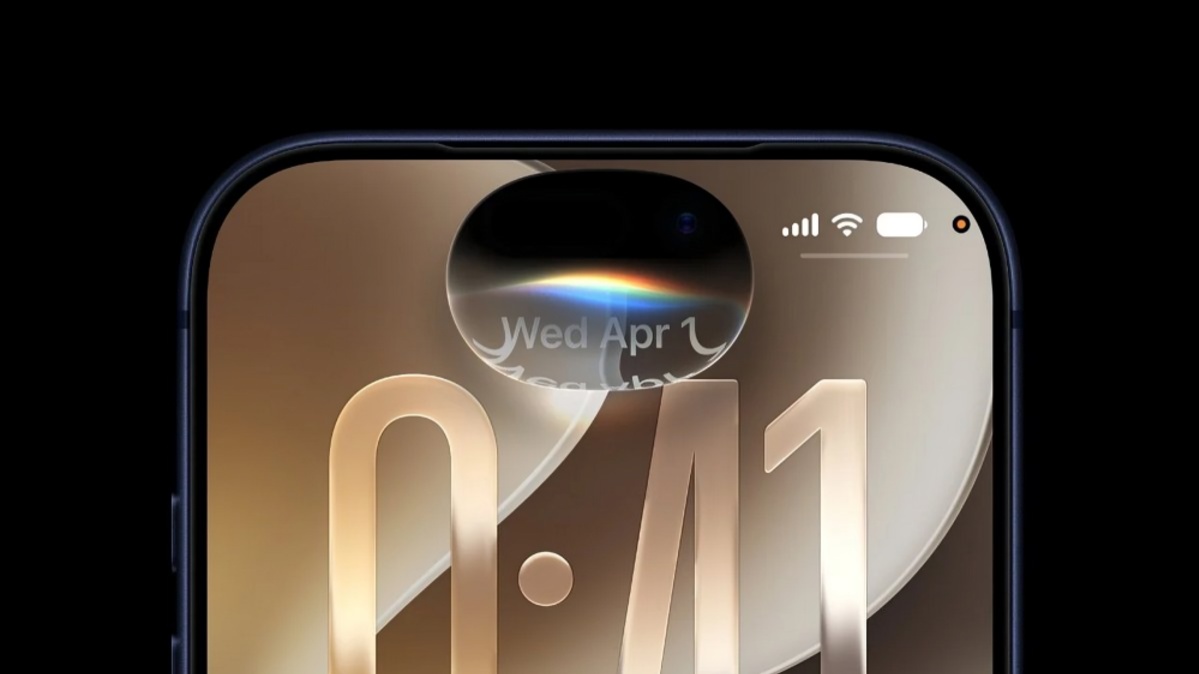
Apple has confirmed that iOS 27 will officially roll out on September 14, 2026. The latest software update brings a major collection of changes to the iPhone operating system, with artificial intelligence, personalisation, performance and system design among the main areas of focus.
One of the biggest additions in iOS 27 is the upgraded Siri experience. Apple is introducing a more capable AI-powered version of Siri that can better understand context and respond to more natural requests. The new Siri AI is designed to work with information available across the device and provide more useful assistance. According to current reports, the advanced Siri experience will initially be available in English, with additional language support expected later.
Apple is also expanding AI capabilities across the Photos experience. Users will receive new tools designed to make photo editing and image-related tasks more intelligent. Some of these advanced Apple Intelligence features will depend on the processing capabilities of the iPhone, meaning that not every compatible iPhone will receive the complete set of AI functions.
The Liquid Glass design introduced in Apple's recent software generation also receives further customisation options in iOS 27. Users can adjust the appearance of the interface with additional controls, including an opacity option that provides greater flexibility over how transparent or frosted elements appear.
The update also brings changes to the Lock Screen and widgets. Users will have more options to customise the appearance of the time display, while extra-large widgets are being introduced for supported areas of the interface. Apple is also making changes to system controls, including separate volume controls for different types of alerts and sounds.
Another important aspect of iOS 27 is performance. Apple is continuing to optimise the operating system so that applications and system functions can operate more efficiently. Improvements are also expected for AirDrop, photo loading and general system responsiveness.
Supported iPhones
iOS 27 is expected to support the same broad generation of devices that received iOS 26. This means the update is available for iPhone 11 and newer models, along with the second-generation iPhone SE and newer compatible SE models.
The supported range includes iPhone 11, iPhone 11 Pro and iPhone 11 Pro Max. The iPhone 12 series, iPhone 13 series and iPhone 14 series are also eligible.
The iPhone 15 family is supported, including the iPhone 15, iPhone 15 Plus, iPhone 15 Pro and iPhone 15 Pro Max. The newer iPhone 16 family, including the iPhone 16e, is also compatible.
The iPhone 17 series, including the iPhone 17, iPhone 17 Pro, iPhone 17 Pro Max and iPhone 17e, is supported as well. The latest iPhone Air and newer iPhone 18 models are part of the current generation of devices running the new operating system.
However, compatibility with iOS 27 does not mean that every feature will be available on every model. Apple Intelligence features require more powerful hardware. Reports indicate that the advanced AI functions are primarily available on iPhone 15 Pro and newer compatible devices.
This distinction is important for users with older iPhones. They can install iOS 27 and receive the standard operating system improvements, security updates and design changes, but certain AI-powered functions may not be available.
How to Download and Install iOS 27
Once Apple makes iOS 27 available on September 14, users can check for the update directly from their iPhone.
First, open the Settings application on the iPhone. Select General and then choose Software Update. The device will check Apple's servers for available software updates. When iOS 27 appears, users can select Download and Install.
Before starting the installation, users should ensure that the iPhone has sufficient battery power. Connecting the device to a charger during the update is recommended. Users should also make sure that adequate storage space is available because major operating system updates require free space for downloading and installation.
Creating a recent iCloud or computer backup before installing a major software update is also advisable. A backup provides additional protection for photos, messages, contacts and other important information if an unexpected problem occurs during the update process.
The exact time at which iOS 27 becomes available can vary by region and Apple's rollout schedule. Users who do not immediately see the update should check again later rather than assuming that their iPhone is unsupported.
Why iOS 27 Matters
The iOS 27 update represents another major step in Apple's effort to bring artificial intelligence more deeply into the iPhone experience. The upgraded Siri is one of the most significant changes, while improvements to Photos and other system features are designed to make everyday tasks more convenient.
At the same time, Apple's decision to limit some advanced AI capabilities to newer iPhones highlights the growing importance of device hardware for artificial intelligence. Users with older supported models can still receive iOS 27, but the complete AI experience will depend on the processor and hardware available on their device.
Overall, iOS 27 combines a new generation of AI features with interface customisation, performance improvements and broader system enhancements. With the public release scheduled for September 14, 2026, iPhone users can check their device compatibility and prepare their phones before installing the update.