Anthropic has introduced a new Google Workspace integration for Claude, allowing users to work directly with Google Docs, Google Sheets and Google Slides without having to repeatedly switch between applications.
The new feature, called Claude for Google Workspace, was announced on October 6, 2026. It is currently available in public beta for paid Claude plans and brings Anthropic's AI assistant directly into Google's productivity applications.
The integration is designed to help users draft, edit, restructure and analyse documents, work with spreadsheet data and create or modify presentations. Anthropic has also introduced separate connectors that allow users to create and edit Google Workspace files directly from the Claude web interface.
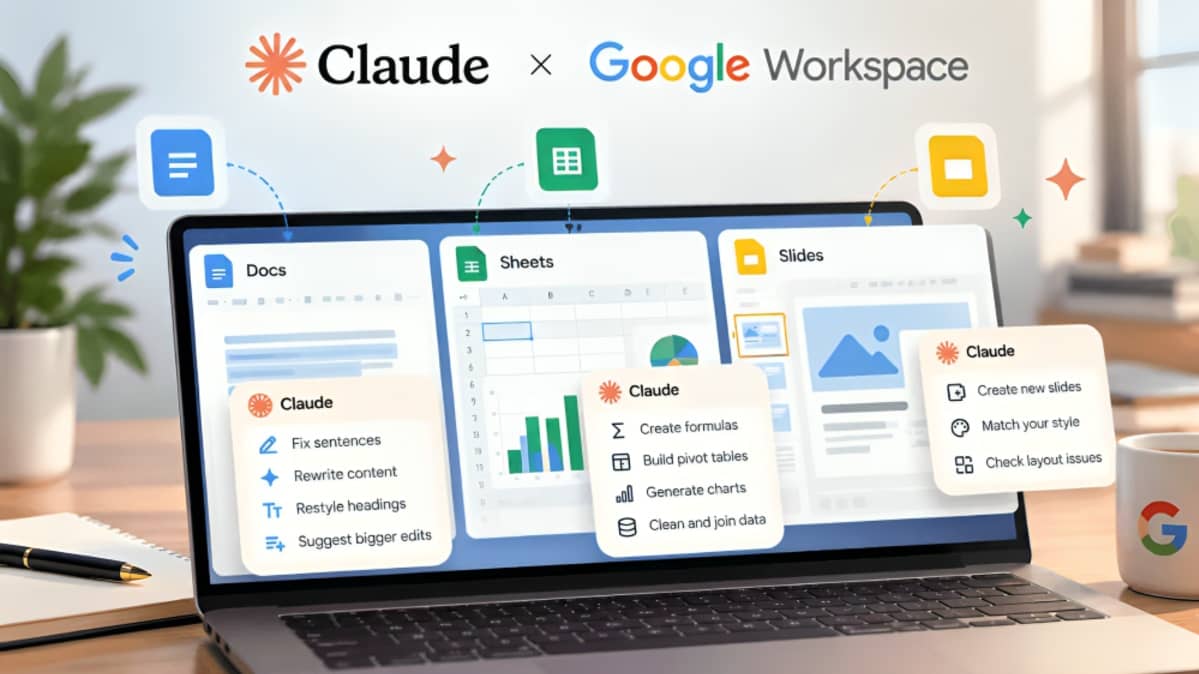
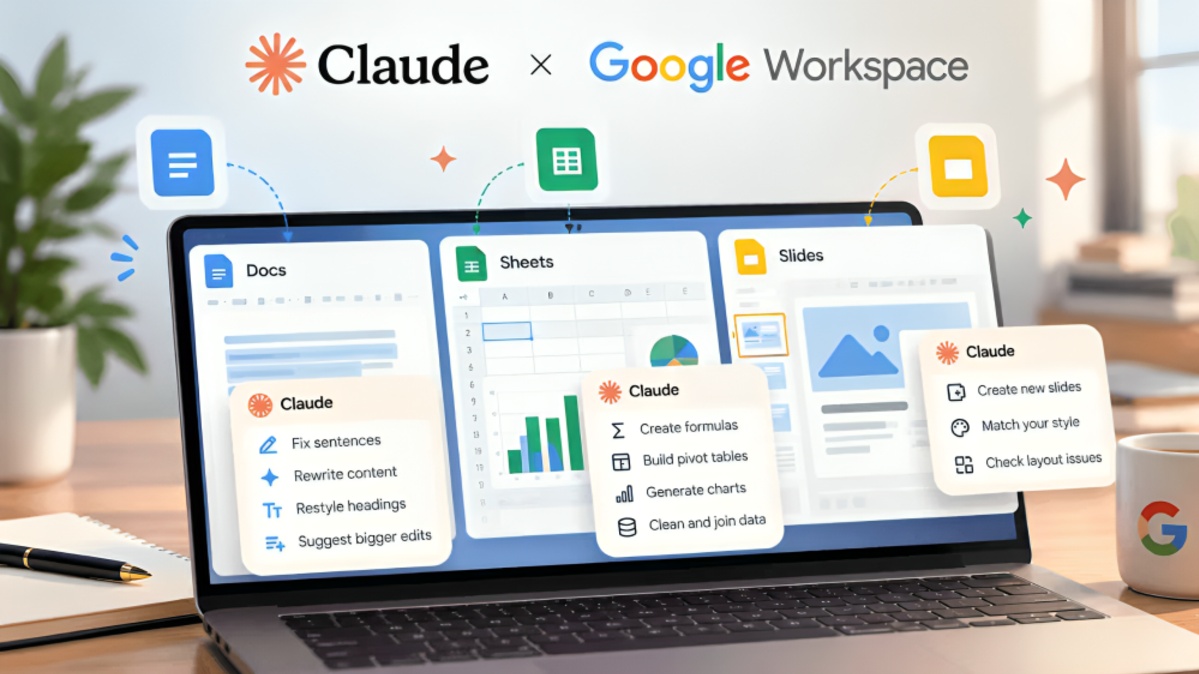
With the Google Workspace add-on, Claude appears in a sidebar inside Google Docs, Sheets and Slides. Users can open a file and ask Claude to perform tasks using the content of that file.
In Google Docs, Claude can help users draft new content, rewrite existing sections, correct writing, restructure documents and restyle portions of a file. The assistant can work with selected content or relevant parts of the document while preserving the existing document structure.
Users can also ask questions about the document. For example, Claude can summarise a document, identify specific information or help reorganise a long piece of content.
One of the important features is that users can review changes before they are applied. The default Ask before edits mode allows Claude to explain the proposed action and wait for user approval.
Users can also choose an Accept all edits mode for ordinary content changes. This provides greater automation for users who want Claude to perform multiple editing tasks without requiring approval for every individual change.
In Google Sheets, Claude can assist with spreadsheet related tasks. Users can ask the AI to create formulas, build spreadsheet models, clean data and construct tables. The integration is intended to help users perform data related work without manually transferring information between a spreadsheet and an AI chatbot.
Claude can also assist with more advanced spreadsheet tasks, depending on the type of data and operation involved. The integration can be used to analyse information in an active spreadsheet and help users understand calculations or improve the structure of their data.
Google Slides is another major part of the integration. Claude can create new slides, modify existing presentations and help improve the structure and readability of a presentation.
Users can ask Claude to create slides based on information in an existing presentation or to reorganise content across slides. The assistant can also work with existing presentation themes and layouts.
For example, a user could ask Claude to divide an overcrowded slide into multiple slides, rewrite presentation titles or create a project update based on existing information. This can reduce the amount of manual formatting and rewriting required when preparing presentations.
Anthropic has also released Google Docs, Sheets and Slides connectors in beta. These connectors work differently from the Workspace add-on.
With the connectors, users can start from the Claude interface and ask the AI to create or modify files stored in Google Drive. Users can connect their Google account and provide access to the relevant Workspace files.
This means users do not necessarily have to open Google Docs, Sheets or Slides first. They can begin a task within Claude and ask the assistant to work on a connected Google file.
Anthropic says the integration is designed to respect existing access permissions. Organisations can also manage access to the integration through Google Workspace administration controls.
For individual users, installation involves adding Claude from the Google Workspace Marketplace and authorising the required permissions. After installation, users can open a Google Doc, Sheet or Slide and access Claude through the Extensions menu.
The official Google Workspace Marketplace listing describes Claude as a tool for drafting, editing and analysing work inside Google Docs, Sheets and Slides. The listing was updated in October 2026 and identifies Anthropic as the developer.
The integration also introduces additional controls over how Claude makes changes. Users who prefer greater control can keep the Ask before edits setting enabled. This allows them to review proposed changes before they are applied.
This feature can be particularly useful when working on important documents, shared spreadsheets or presentations where an unintended change could affect other users.
Claude's changes are also recorded through Google file version history. This provides users with a way to review previous versions of their files and restore an earlier version when necessary.
The integration does have limitations. Claude works primarily with the file that the user has open when using the Workspace add-on. It does not automatically gain access to every file in the user's Google Drive, Gmail or Calendar.
Users can enable additional connectors when they need Claude to work with information from other connected services.
There are also restrictions on certain actions. For example, Claude cannot change file ownership or independently grant other people access to a file. Some actions involving links, external images or access permissions require additional approval.
The integration is part of Anthropic's broader effort to expand Claude beyond a standalone chatbot. By bringing Claude directly into Google Workspace, Anthropic is positioning the assistant as a productivity tool that can work alongside users inside applications they already use.
The move also places Claude in more direct competition with Google's own Gemini tools, which are already integrated into Google Workspace. Users who prefer Claude can now access its capabilities while remaining inside Google's productivity environment.
For businesses and organisations, the new integration could be useful for document preparation, data analysis, spreadsheet modelling, presentation development and other routine workplace tasks.
However, users should continue to review AI generated changes before relying on them, particularly for financial calculations, business reports, legal documents, academic material and other information where accuracy is important.
Anthropic's announcement also makes clear that the Google Workspace integration is currently in beta. This means the company may continue to modify features, availability and supported capabilities as the service develops.
The current rollout is available to paid Claude users, including eligible Pro, Max, Team and Enterprise plans, subject to the required Google Workspace permissions. Organisations may also restrict or manage access to Marketplace applications through their administrator settings.
Overall, the new integration allows Claude to move beyond answering questions in a separate chat window. Users can now ask the AI to work directly with documents, spreadsheets and presentations, while retaining controls over whether proposed changes are applied.
The development gives users another option for AI assisted productivity inside Google Workspace and represents a significant expansion of Claude's capabilities in the workplace.