
WhatsApp Launches Guest Calling, Allowing People to Join Calls Without an Account
WhatsApp has introduced Guest Calling, a new feature that allows people without a WhatsApp account to participate in voice and video calls through an invitation link. Announced on October 14, 2026, the feature is designed to make it easier for users to connect with friends, colleagues, classmates and other contacts who do not use the messaging platform.
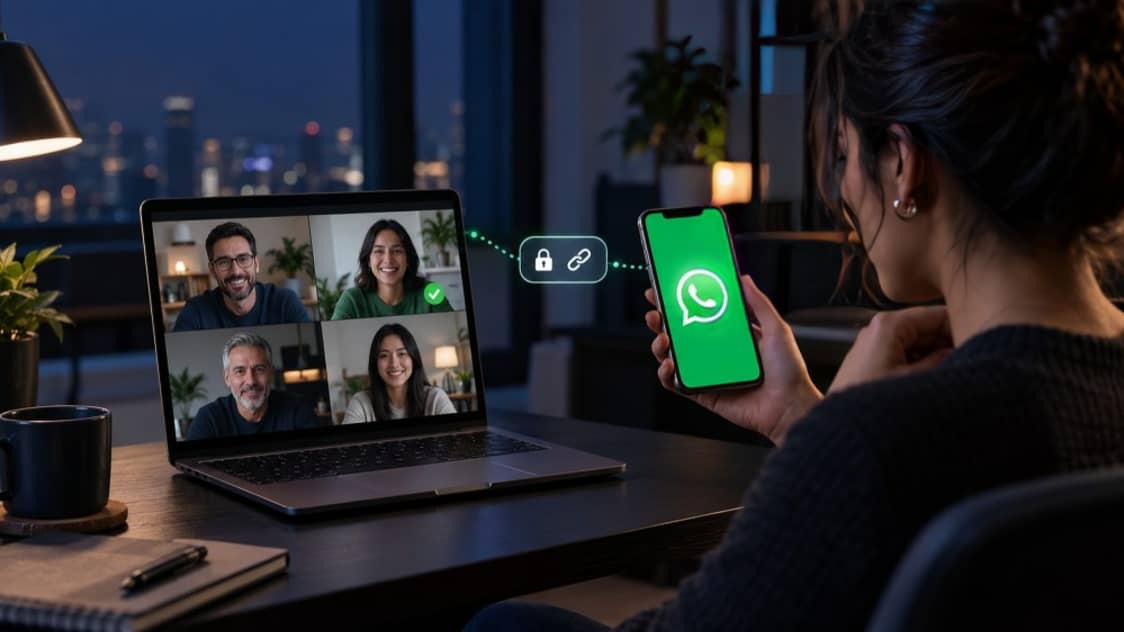
The new feature supports free, end-to-end encrypted calls without time limits. Group calls can include up to 32 participants, according to WhatsApp's announcement. However, only registered WhatsApp users can create call links and host calls. Guests must use a computer browser to open their invitation links and receive permission from the host before joining.
How WhatsApp Guest Calling Works
Guest Calling allows an existing WhatsApp user to create a call link and share it with people outside the platform. Recipients do not need to create an account or install the WhatsApp application to join as guests.
When an invited person opens the link in a supported computer browser, they can enter their name and request access to the call. The request is sent to the host, who can admit or deny entry. Until permission is granted, the guest remains in a waiting room.
The feature is intended to simplify conversations involving people who use different communication services. For example, a teacher could invite a student who does not use WhatsApp, or a business professional could share a call link with an external colleague without requiring them to register for the service.
WhatsApp says guest calls retain end-to-end encryption and do not have a time limit. This means participants can continue their conversations without a fixed call-duration restriction imposed by the feature.
How to Create and Share a Guest Call Link
Creating a guest call link requires an existing WhatsApp account. Users can follow these steps to invite people who do not have an account.
First, open WhatsApp and navigate to the Calls tab. Select the plus icon and choose the option to create a new call link. Once the link is generated, share it with the intended participants through a suitable communication channel.
The recipient can then open the invitation link in a computer browser, enter their name and request to join. The host must approve the request before the guest can enter the conversation.
Only the account holder who creates the call link can initiate the guest call. People joining as guests cannot create their own links to invite additional participants directly.
Users should share invitation links only with intended participants. Although the host controls access, a link shared with the wrong person could still lead to an unwanted request to join the call.
Guest Restrictions and Privacy Controls
WhatsApp has introduced restrictions to give hosts greater control over guest participation. Guests cannot view the phone numbers of other participants, send messages through the call or directly invite additional people.
The host can also remove a guest during a conversation if necessary. The waiting-room system allows the host to check incoming requests before admitting participants, which can help prevent unexpected visitors from joining.
These controls are particularly useful for group discussions, online lessons and professional meetings where participants may not know everyone in the call. However, users should still exercise caution when sharing links and admitting people, especially when discussing private or sensitive information.
WhatsApp states that guest calls are end-to-end encrypted. This security feature is intended to protect call content from being accessed by unauthorised parties while it is transmitted. Users should nevertheless remember that encryption does not prevent participants from recording, photographing or otherwise disclosing information they can see or hear.
Features Available During Guest Calls
Guest participants can use several of WhatsApp's calling tools. These include sharing their computer screen, reacting with options such as a thumbs-up or heart, and raising a hand to indicate that they want to speak.
Screen sharing can be useful for reviewing presentations, explaining documents or collaborating on work. The hand-raising feature can also help participants take turns during larger meetings.
The ability to host group calls with up to 32 participants makes the feature suitable for small team discussions, educational sessions and personal conversations. WhatsApp has not described Guest Calling as a replacement for every dedicated video-conferencing platform, but it offers another option for people who need to connect without registering for a new service.
Google Calendar and Outlook Integration Planned
WhatsApp has also announced plans to introduce integrations with Google Calendar and Microsoft Outlook later in 2026.
The planned integrations are expected to allow users to create WhatsApp call links from their calendars and include those links in meeting invitations. Users will need to install the relevant WhatsApp plugin and connect their account before using the feature.
Once available, the integrations could make it easier to schedule meetings in advance and invite people who do not have WhatsApp accounts. Guests would be able to join using the invitation link, subject to the call's access controls.
The company has described these integrations as a future rollout rather than a feature already available to everyone.
What the Update Means for WhatsApp Users
Guest Calling expands WhatsApp's calling service beyond its registered user base. It reduces the need for invitees to download an application or create an account simply to attend a conversation.
The feature could be useful for families, schools, freelancers, businesses and other groups that regularly communicate with people who use different applications. It also gives hosts more flexibility when arranging calls with external participants.
There are some limitations. Guests currently need to join through a computer browser, and they cannot start calls or manage invitations in the same way as registered users. The host must also approve their entry.
WhatsApp's latest update reflects a broader effort to make online communication more accessible while retaining privacy and access controls. As the feature rolls out, users should check the availability of Guest Calling in their accounts and keep their applications and browsers updated.
Overall, Guest Calling makes WhatsApp calls more accessible to people who do not have an account. Its usefulness will depend on the rollout, browser compatibility and how effectively hosts manage invitations and participant access.